![Trustero_Logo_RGB_1C.png]](https://support.trustero.com/hs-fs/hubfs/Trustero_Logo_RGB_1C.png?height=40&name=Trustero_Logo_RGB_1C.png)
The Account Overview page provides a snapshot of the content and activity within your account and serves as the default landing page when you log in. You can return to this page at any time by clicking the Trustero logo in the upper-left corner of the navigation menu.
Clicking any tile on the Overview page takes you directly to the detailed page for that object type, making the Overview page a convenient way to navigate throughout your account.
The Overview page is divided into several sections.
Frameworks and Audits
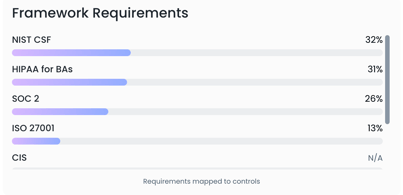
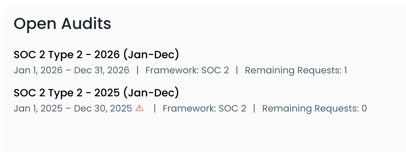
The top section displays your active frameworks and shows how many requirements in each framework have been mapped to controls. This section also displays any open audits in your account.
GRC Object Summary
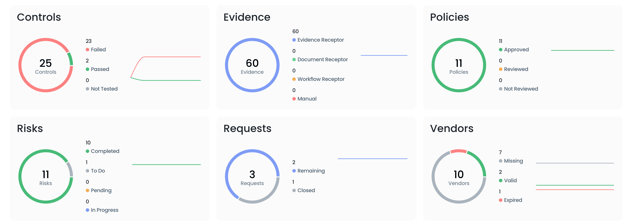
The second section provides an overview of the GRC objects in your account, including:
- Controls
- Evidence
- Policies
- Risks
- Requests
- Vendors
Each tile displays the current object count, broken down by status.
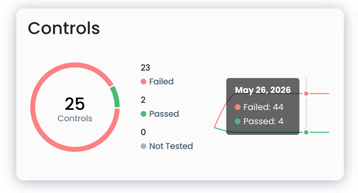 In addition, each tile includes a historical trend line showing how object statuses have changed over the selected time period.
Hovering over the trend line displays the beginning-of-day data point for each historical date.
Other Account Activity
The final section displays activity trend lines for additional features across your account, including:
- Trustero Intelligence questions asked
- Receptor documents collected
- Questionnaire questions answered
- Schedules executed
These trend lines provide visibility into overall account activity and usage over time.
