![Trustero_Logo_RGB_1C.png]](https://support.trustero.com/hs-fs/hubfs/Trustero_Logo_RGB_1C.png?height=40&name=Trustero_Logo_RGB_1C.png)
In Trustero, you can create custom compliance frameworks composed of sections and requirements. Requirements typically include an identifier, a name, and a detailed description of the compliance obligation.
Requirement descriptions should be completed as thoroughly as possible, as they are used by Trustero for activities such as gap analysis against your organization's controls and policies.
There are three ways to create a custom framework:
- Import a framework document using Trustero Intelligence
- Upload framework sections and requirements from a CSV file
- Manually create sections and requirements within Trustero
Importing a Framework with Trustero Intelligence
The easiest way to create a custom framework is by using the Import Custom Framework playbook available in Trustero Intelligence.
You can launch the playbook from the Trustero Intelligence home page or from the Trustero Intelligence Assistant on the Frameworks page. Any page that supports the assistant includes an Ask Trustero Intelligence button.
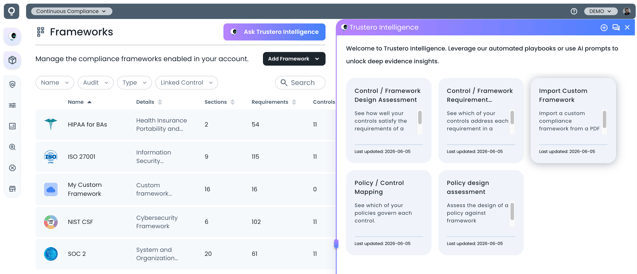
Trustero Intelligence Assistant
When you run the Import Custom Framework playbook, you will be prompted to upload a framework requirements document, regulation, standard, or other compliance-related source document.
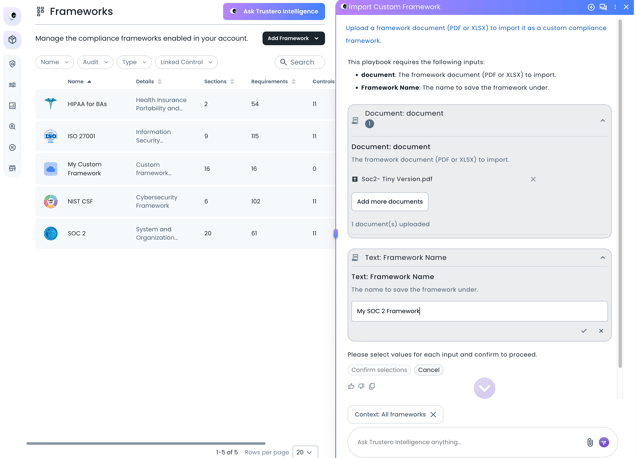
Import Custom Framework Playbook
After the document is uploaded, Trustero Intelligence analyzes the content and automatically creates a framework structure consisting of sections and requirements. For each requirement, the system attempts to identify and extract:
- Requirement identifiers
- Requirement names
- Requirement descriptions and details
- Logical section groupings
The playbook is designed to be interactive. If the extracted content does not accurately reflect the source document, you can provide additional guidance and ask Trustero Intelligence to reprocess the document.
Once the framework has been created, you can manually edit any section or requirement as needed.
Creating a Framework Manually or from CSV
Alternatively, you can create a custom framework from the Frameworks page by selecting Add Framework and then Add Custom.
The Add Custom Framework dialog allows you to:
- Specify a framework name
- Provide a description
- Upload a custom framework icon (optional)
At the bottom of the dialog, choose one of the following options:
- Add Sections Manually
- Upload Sections via CSV
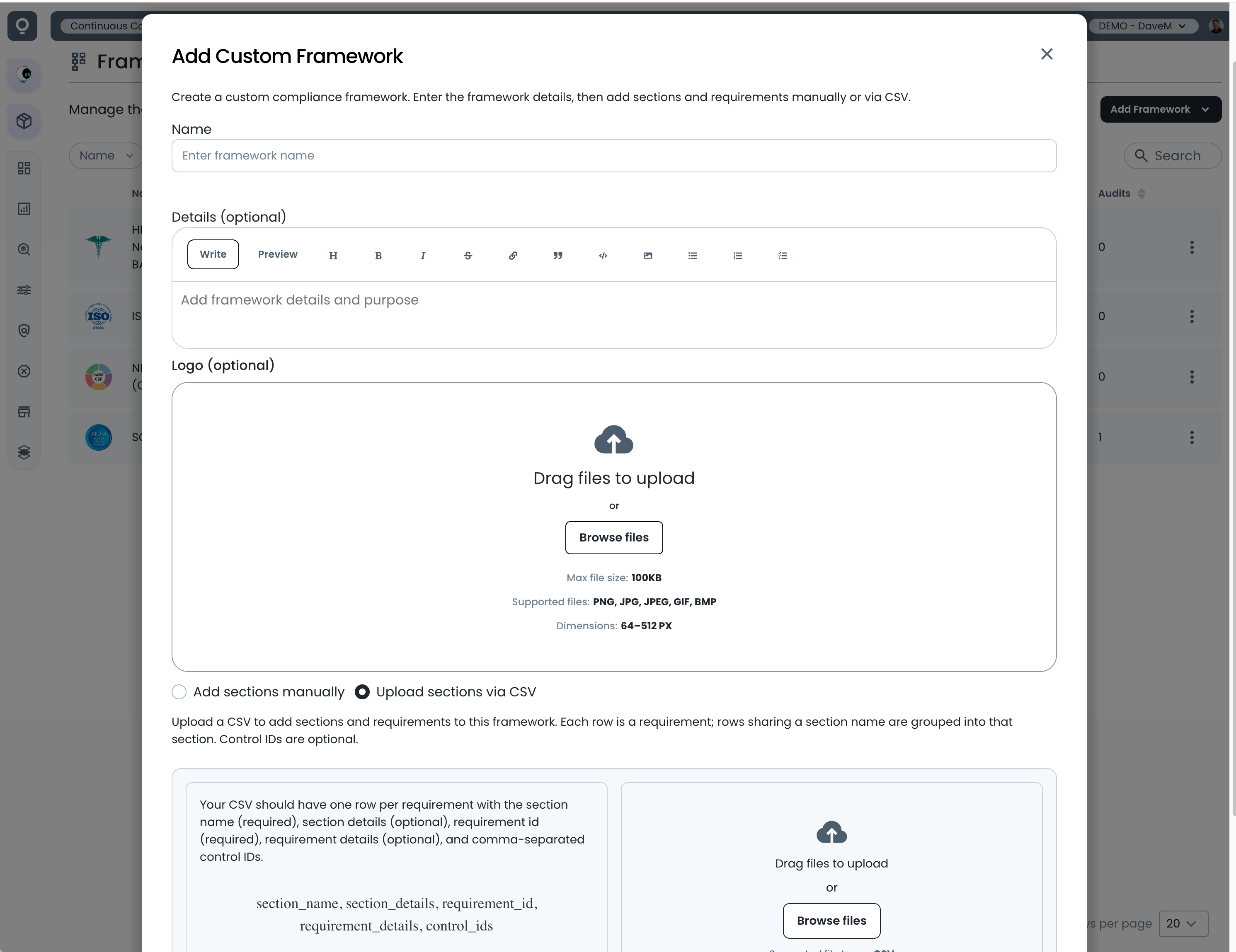
Add Custom Framework Dialog
Add Sections Manually
When creating a framework manually, you can immediately begin adding sections and requirements directly within the framework editor. Alternatively, you can save the framework first and add sections and requirements later from the framework details page.
Upload Sections via CSV
When importing via CSV, Trustero provides a downloadable template that can be used to bulk-create framework sections and requirements. Complete the template with your framework information and upload it to quickly populate the framework structure.