![Trustero_Logo_RGB_1C.png]](https://support.trustero.com/hs-fs/hubfs/Trustero_Logo_RGB_1C.png?height=40&name=Trustero_Logo_RGB_1C.png)
These playbooks trigger evidence processing agents directly within the Trustero Intelligence interface, enabling you to analyze and transform evidence without leaving the Evidence page.
You can also use these agents as part of control tests. However, running them directly from the Evidence page is useful for ad-hoc analysis and faster iteration.
Available Evidence Processing Playbooks
- Cross-reference two evidence sources
-
Compare two evidence sources to identify matching, missing, and overlapping rows.
This playbook:
- Joins two tables into a single dataset
- Combines columns from both sources
- Matches rows based on a shared field (for example, email address or unique identifier)
-
- Evaluate tabular evidence
-
Analyze tabular evidence against row-level test criteria.
This playbook:
- Generates a Test Table with row-by-row results
- Provides summary statistics about the dataset
- Produces an overall pass/fail outcome
-
- Filter tabular evidence
-
Filter rows using natural language criteria.
This playbook:
- Applies row-level filtering based on your description
- Creates a new filtered version of the original evidence
-
- Sample tabular evidence
-
Generate a randomized subset of your data for analysis.
This playbook:
- Selects a sub-sample of rows based on specified criteria
- Creates a new evidence item containing the sampled data
-
Open the Evidence Processing Assistant
To open the Evidence Processing Assistant, click Ask Trustero Intelligence in the upper-right corner of the Evidence List page.
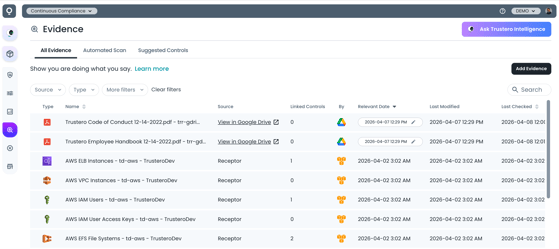
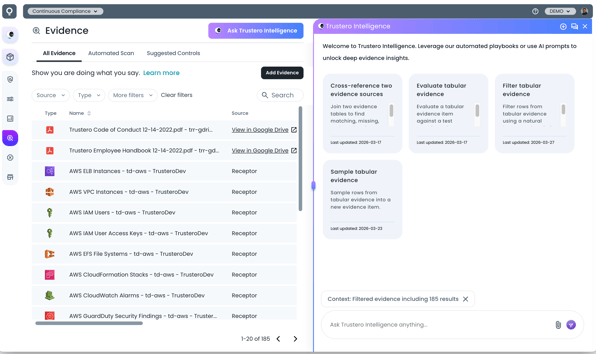
Trustero Intelligence Evidence Assistant
Run an Evidence Playbook
When you open the assistant, available playbooks are displayed.
To run a playbook:
- Select a playbook from the list
- Choose the required evidence sources
- Some playbooks require one dataset
- Cross-referencing requires two datasets
If your Evidence List is already filtered, that filtered view is used to simplify selection.
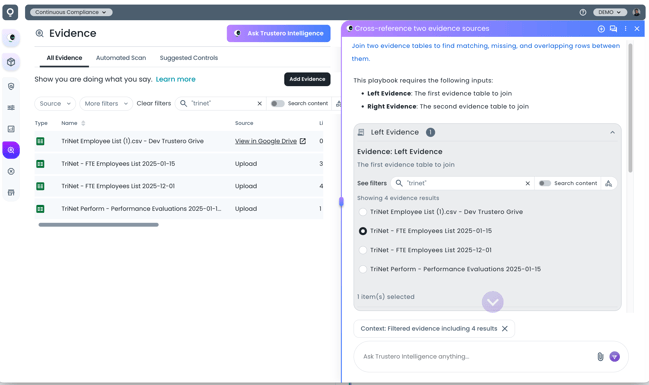
Evidence Selection for Processing
Process Evidence
After selecting your evidence, the agent begins processing the data to generate the result.
Large datasets are supported, and processing is not limited by language model context size.
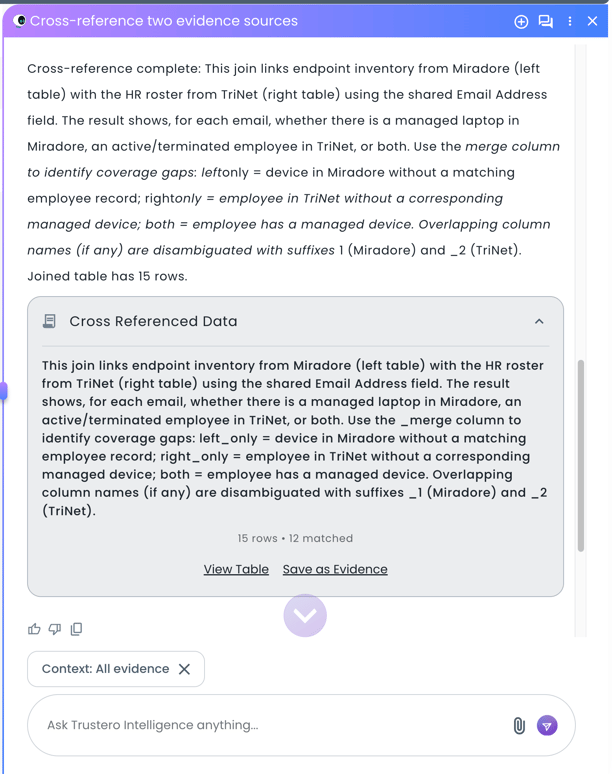
Processing Summary, View or Save Result
View or Save Results
After processing is complete, you can:
- View results directly in the interface
- Save the output as a new evidence item
Saved evidence can be attached to controls and used in control testing.
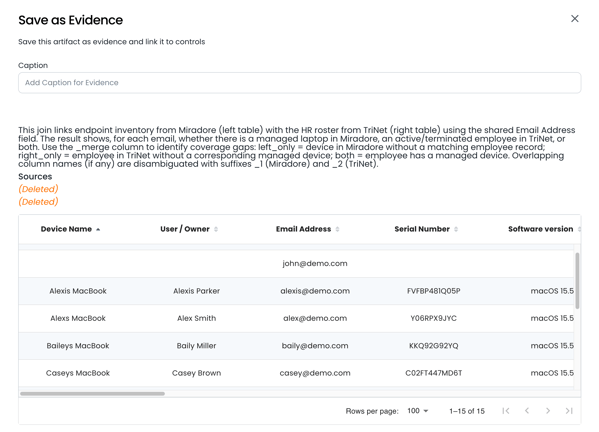
Save as Evidence
Schedule Evidence Playbooks
You can schedule playbooks to run automatically, including alongside automated evidence collection.
This is useful for recurring workflows such as:
- Re-running cross-reference comparisons
- Applying filters to newly collected evidence
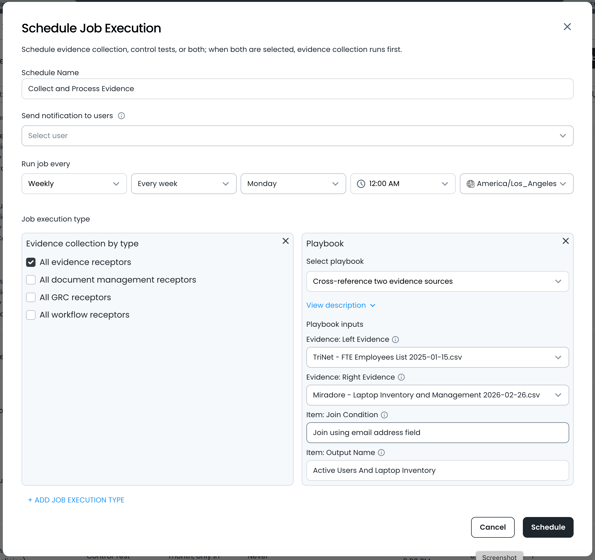
Scheduled Evidence Processing