![Trustero_Logo_RGB_1C.png]](https://support.trustero.com/hs-fs/hubfs/Trustero_Logo_RGB_1C.png?height=40&name=Trustero_Logo_RGB_1C.png)
Control test procedures are central to Trustero’s AI-driven operational effectiveness evaluations. However, developing procedures that are both reliable and produce consistent analysis results can be challenging.
To address this, Trustero Intelligence provides an interactive refinement experience. You can collaborate with the AI agent to generate new procedures or improve existing ones, ask questions, clarify changes, and provide feedback on proposed updates throughout the process.
Getting Started
The Control Details page includes a Trustero Intelligence Assistant panel with a “Test Procedure Refinement” playbook. You can launch this playbook to begin refining your control test procedures interactively.
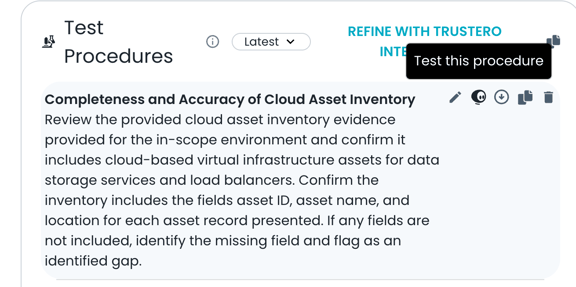
You can also start the process by clicking the “Refine with Trustero Intelligence” link.
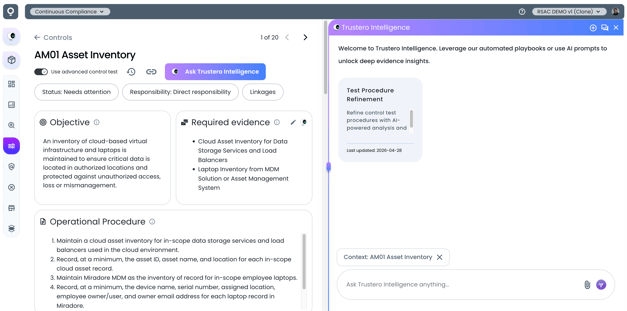
Control Page with TI Assistant
For controls that do not yet have test procedures, click “Ask Trustero Intelligence to Generate Test Procedures” to create them.
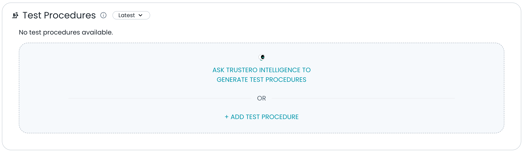
Getting Started with Generate Test Procedures
Selecting Procedures to Refine
After starting the refinement process, you’ll see an overview of how it works and be prompted to select the test procedures you want to evaluate.
You can refine a single procedure or work on multiple procedures at once.
During this process, Trustero Intelligence may recommend adding, modifying, or removing procedures to improve the consistency and reliability of operating effectiveness results.
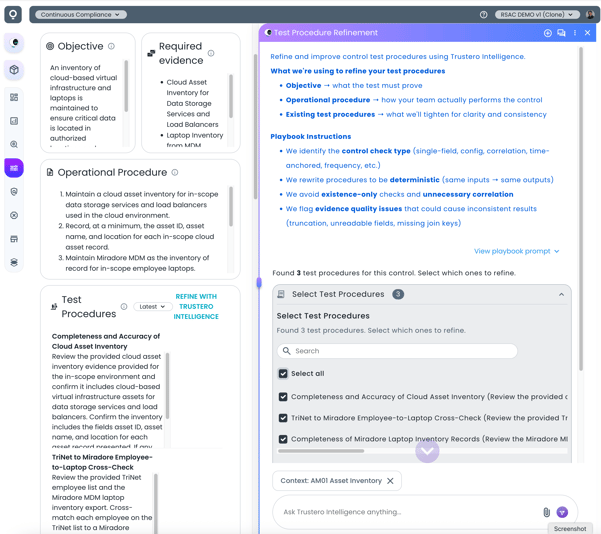 Selecting Test Procedures
Reviewing Proposed Changes
Once the agent completes its analysis, it generates a detailed assessment of your existing procedures along with a proposal for updated test procedure language.
You can review:
- The assessment of current procedures
- Suggested improvements
- Side-by-side differences between existing and proposed versions
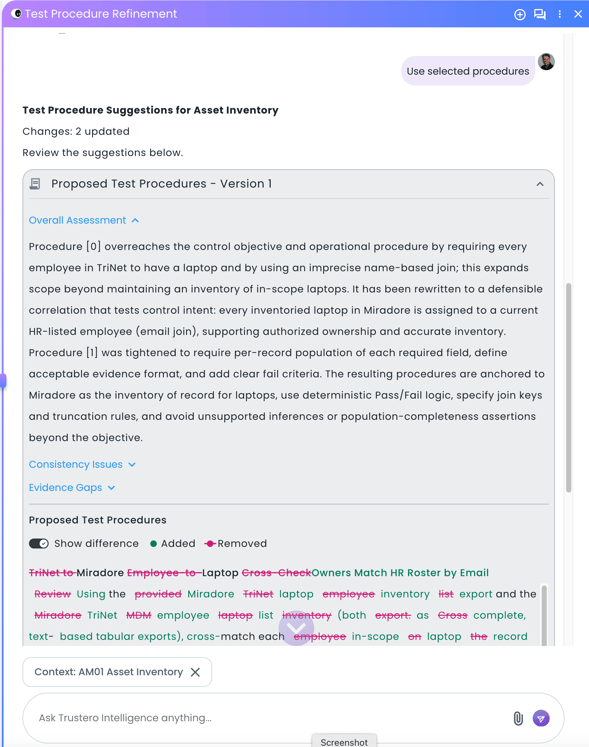
Reviewing Assessment and Suggested Changes
Testing and Saving Changes
As you refine procedures, you can execute one or more test procedures directly within the chat to validate that they produce the expected results.
When you’re satisfied with the updates, click “Save changes to control” to apply the proposed procedures to the main editor.
The editor maintains a full version history, so you can revert to a previous version at any time if needed.
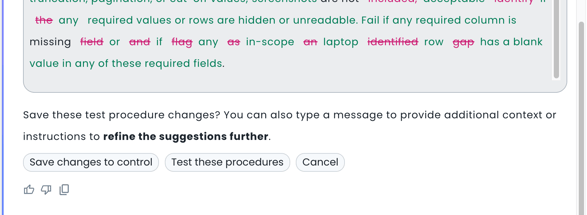
Run OE Check and Save Results
Running Individual Tests from Editor
You can run individual control tests directly from the editor by clicking the “Test this procedure” icon. This launches the Trustero Intelligence Assistant, which executes the test and generates a result for that specific procedure.
Note that results from these individual test runs are not saved as part of your control’s official operational effectiveness evaluations.