![Trustero_Logo_RGB_1C.png]](https://support.trustero.com/hs-fs/hubfs/Trustero_Logo_RGB_1C.png?height=40&name=Trustero_Logo_RGB_1C.png)
Content Management / FAQs
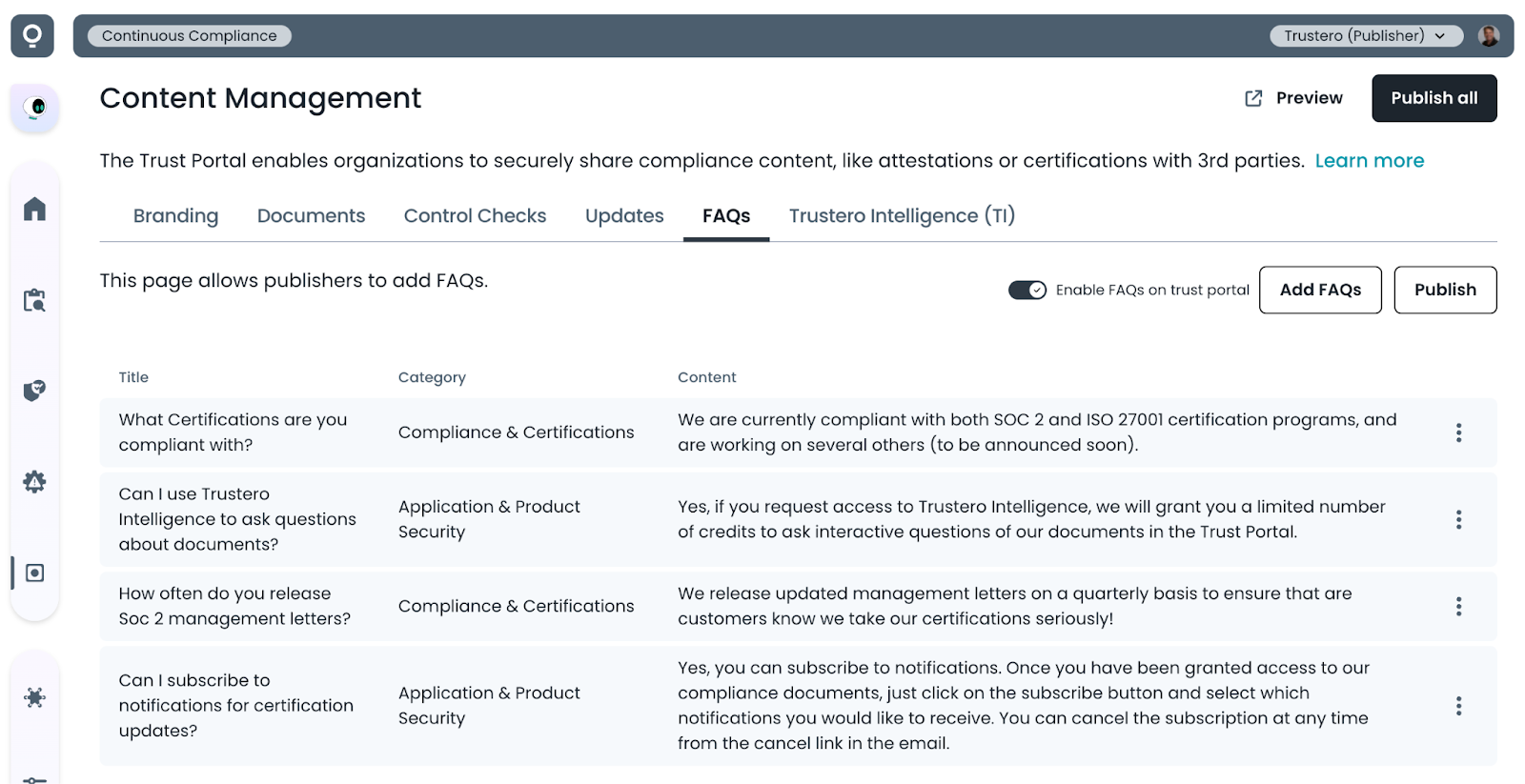
This tab lets publishers enable FAQs (frequently asked questions) that their visitors can view and search (this feature is disabled by default).
If the Trustero Intelligence feature is enabled for visitors, they will be able to use AI to ask questions about the published FAQs once they have been granted access.
Getting Started
- Trust Portal Publishers (or Admins) go to the app; navigate to Customer Trust / Content Management / FAQs tab
- Add an FAQ by clicking the Add FAQs button
- Enter the content and choose from one of the built-in categories
- Enable FAQs visibility on portal (click the "Enable FAQs on trust portal" toggle)
- Preview site to make sure FAQs content is correct
- Publish FAQ changes (if other features are going to be enabled, you may want to wait until the entire portal is configured before clicking Publish All)
Example Page