![Trustero_Logo_RGB_1C.png]](https://support.trustero.com/hs-fs/hubfs/Trustero_Logo_RGB_1C.png?height=40&name=Trustero_Logo_RGB_1C.png)
Content Management / Trustero Intelligence
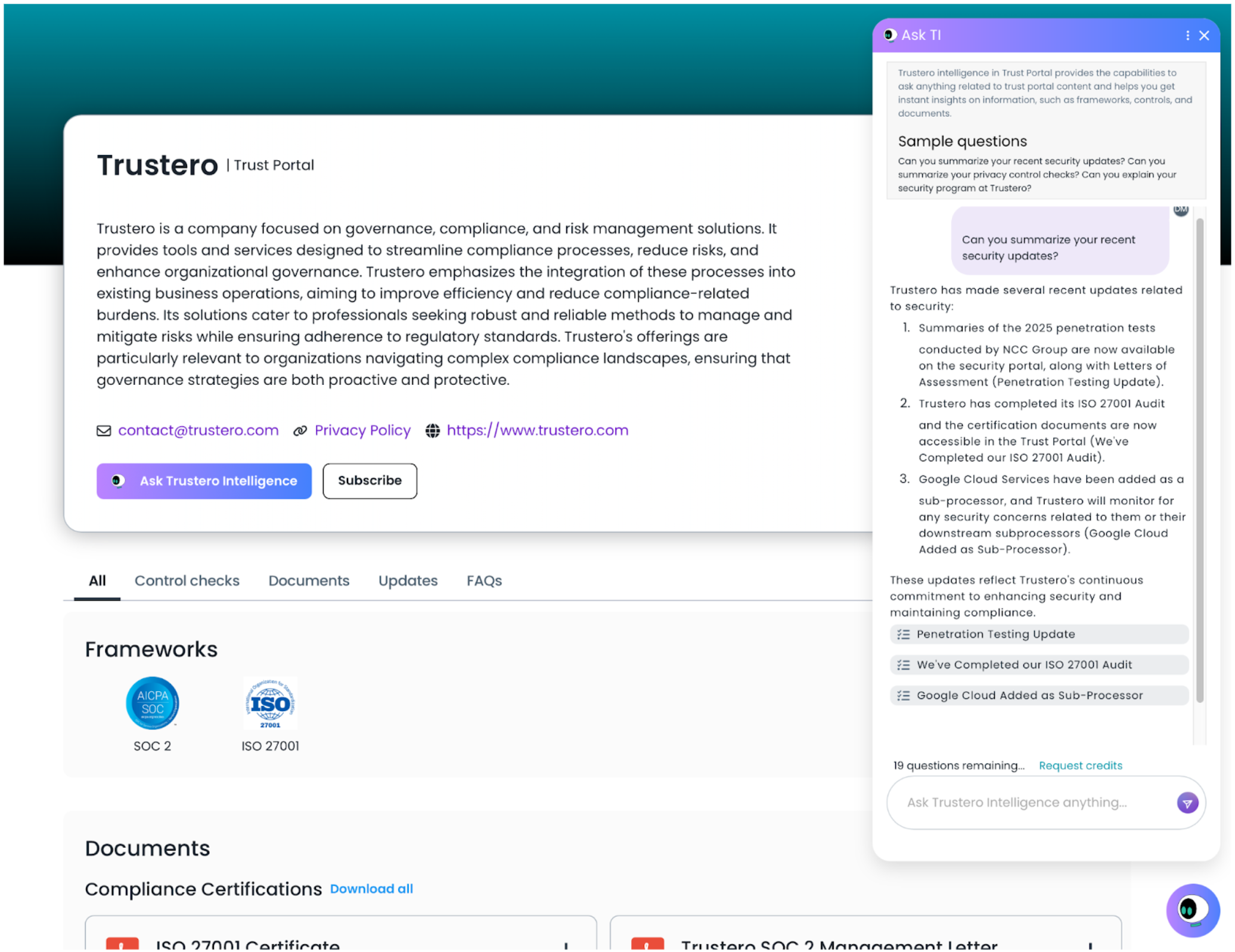
This tab lets publishers enable Trustero Intelligence (TI) that their visitors can use AI to ask questions about all published content on the site (this feature is disabled by default).
Getting Started
- Trust Portal Publishers (or Admins) go to the app; navigate to Customer Trust / Content Management / Trustero Intelligence (TI) tab
- Enter the default number of question credits that will be granted to each visitor once their request is approved
- If visitors run out of question credits, they can request more, which must be separately approved
- Note that the question credits used by the visitors will be deducted from the credits available for the publisher account
- Enter any sample questions that you'd like to appear at the top of the Trustero Intelligence chat window (optional)
- Enable Trustero Intelligence visibility on portal (click the "Enable TI on trust portal" toggle)
- Preview site to make sure default credits and sample question content is correct
- Publish Trustero Intelligence changes (if other features are going to be enabled, you may want to wait until the entire portal is configured before clicking Publish All)
Trustero Intelligence Access Requests
When Trustero Intelligence is enabled, visitors will see an "Ask Trustero Intelligence" button on the portal site. Clicking this button will start an access request flow to request access to Trustero Intelligence.
The TI access request can also be made as part of a document access request. Users are given both options to request access (documents and TI), regardless of which option they select first.
If they have selected access to both documents, and Trustero Intelligence, those requests will come in as two separate requests that can be approved/denied individually.
The visitor will first be asked to provide their email address. At this point, we will ensure that their email domain is not in the blocked list (e.g. for free email domains).
We validate the visitor email address by sending a validated link to the visitor site in an email. Clicking on the link in the email will continue the document request.
If the user was previously granted access to Trustero Intelligence, this flow will give them immediate access, otherwise, they will be required to accept the non-disclosure agreement before they can continue the request process.